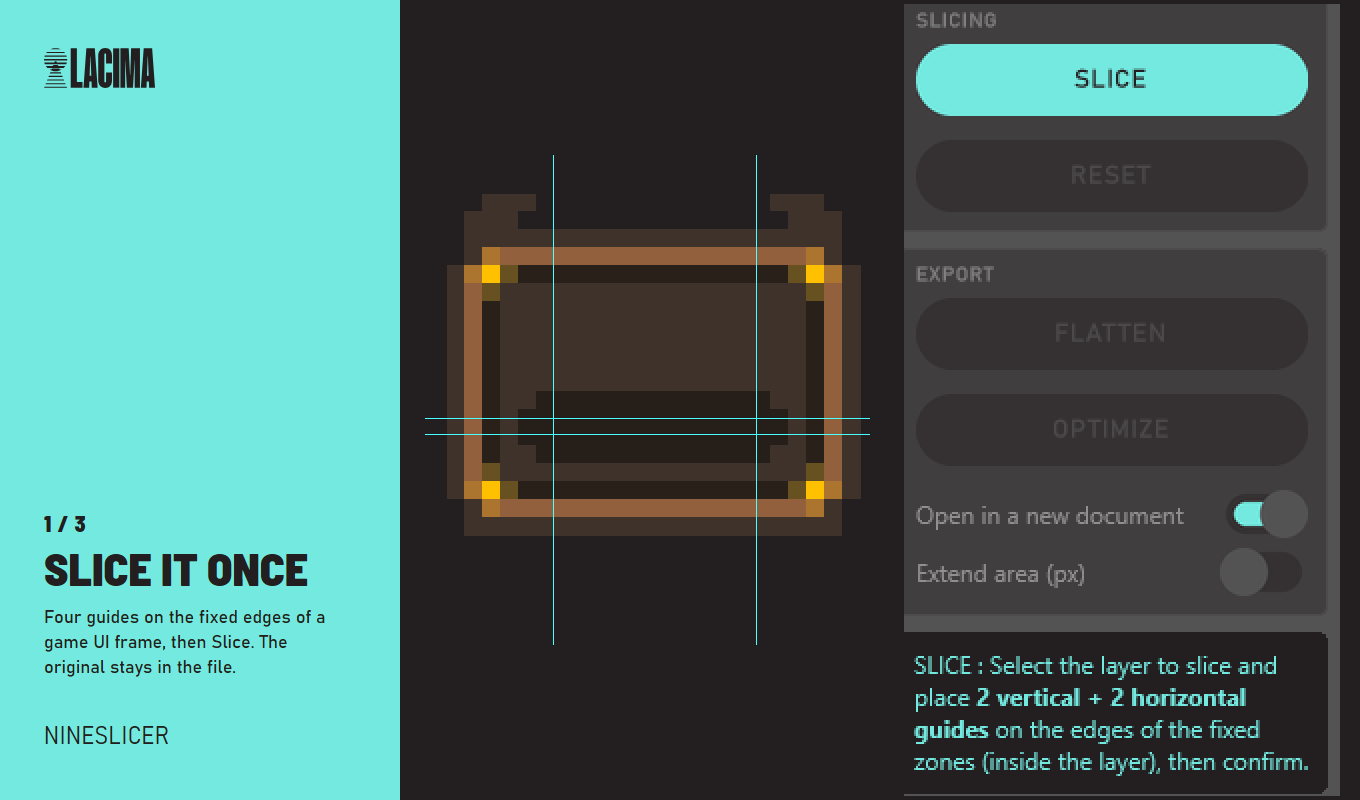
Slice it once: four guides on the fixed edges of a game UI frame, then Slice.
Why
The job it does
Every button, panel and frame in a game UI has to exist at ten sizes, and plain scaling smears the corners. Engines solved this long ago with 9-slice scaling. Photoshop never did. NineSlicer does it with the Free Transform you already use.
Try it
Stretch a real game frame
A 23 × 19 px game UI frame, borders 5 px. Drag the sliders: on the left Photoshop resamples it, on the right NineSlicer rebuilds it.
Borders for your engine: top 5 · left 5 · right 5 · bottom 5
How it works
Five moves, all inside Photoshop
Step 1
Slice
Two vertical and two horizontal guides on the fixed edges, then Slice. The guides clear themselves and the original stays hidden as the source.
Step 2
Resize
Ctrl+T, stretch, Enter. NineSlicer rebuilds the layer: corners fixed, edges stretched on one axis, centre filled.
Step 3
Repeat
Every resize starts from the original pixels, on as many layers as you like.
Step 4
Render
Flatten a finished layer into a normal one and cut its link to the plug-in.
Step 5
Export
The smallest sprite your engine can stretch, plus the four border values for Unity, Godot, Unreal or GameMaker.
Features
What's in it
- True Unity-style 9-slice scaling, fully inside Photoshop
- Non-destructive: the original sprite is kept, one-click reset
- Works with the native Free Transform (Ctrl+T)
- One undo step per operation
- Several sliced sprites per document, each independent and live
- Export-ready sprites at minimum size, with border values
- Panel localized in 10 languages
- Offline license: no account, no data leaves your machine
Questions
Before you buy
How do I get my key?
Right after paying, open Find my key and enter the email you used at checkout. The key is issued there and then.
Can I use it on two machines?
Yes. A key stays active on up to two computers. To move it, free a slot and activate on the new machine.
Does it work on a Mac?
It runs on Adobe's cross-platform UXP with no Windows-only code, but it hasn't been tested on macOS yet. If it doesn't work for you, full refund within 14 days.
What's in the download?
The LACIMA_NineSlicer.ccx file. Double-click it and Creative Cloud installs the plug-in.